Billing & Usage
Overview
Kovra Cloud uses a flat-rate base pricing model with usage-based overage billing. Every plan includes a base amount of vCPU, RAM, storage, and databases. If you exceed your plan’s included resources, overage charges apply.
All plans include unlimited team members — pricing is based on infrastructure consumed, not seat count.
Plans
Developer — $50/month
Best for individual developers and side projects.
| Resource | Included |
|---|---|
| vCPU | 1 |
| RAM | 2 GB |
| Storage | 10 GB |
| Databases | 1 |
| VPN | No |
Team — $100/month
Best for small teams shipping production applications.
| Resource | Included |
|---|---|
| vCPU | 4 |
| RAM | 8 GB |
| Storage | 50 GB |
| Databases | 3 |
| VPN | No |
Business — $300/month
Best for growing teams that need private networking and more databases.
| Resource | Included |
|---|---|
| vCPU | 8 |
| RAM | 16 GB |
| Storage | 100 GB |
| Databases | 10 |
| VPN | Yes |
Enterprise Cloud — $450/month
Best for organizations with high-availability requirements and compliance needs.
| Resource | Included |
|---|---|
| vCPU | 16 |
| RAM | 32 GB |
| Storage | 500 GB |
| Databases | Unlimited |
| VPN | Yes |
| Priority Support | Yes |
Understanding Usage-Based Overage
How Metering Works
Kovra Cloud continuously meters your resource consumption:
- A metering CronJob collects usage data from VictoriaMetrics and Kubernetes resource requests
- Usage is aggregated into quota projections that track vCPU, RAM, storage, and database counts
- Projections are updated periodically and used for real-time quota enforcement
- Usage events are reported for billing
Quota Enforcement
When you attempt an operation that would exceed your plan limits, the API rejects it:
- Database creation when at the database limit returns
429 Too Many Requests - VPN enablement on a plan without VPN returns
403 Forbidden - Resource provisioning beyond vCPU/RAM/storage limits is restricted
Fail-Open Policy
If the quota projection is stale (older than 15 minutes), operations are allowed with an audit log entry. This ensures that a temporary metering delay never blocks your work. Usage is reconciled in the next metering cycle.
Viewing Usage and Quotas
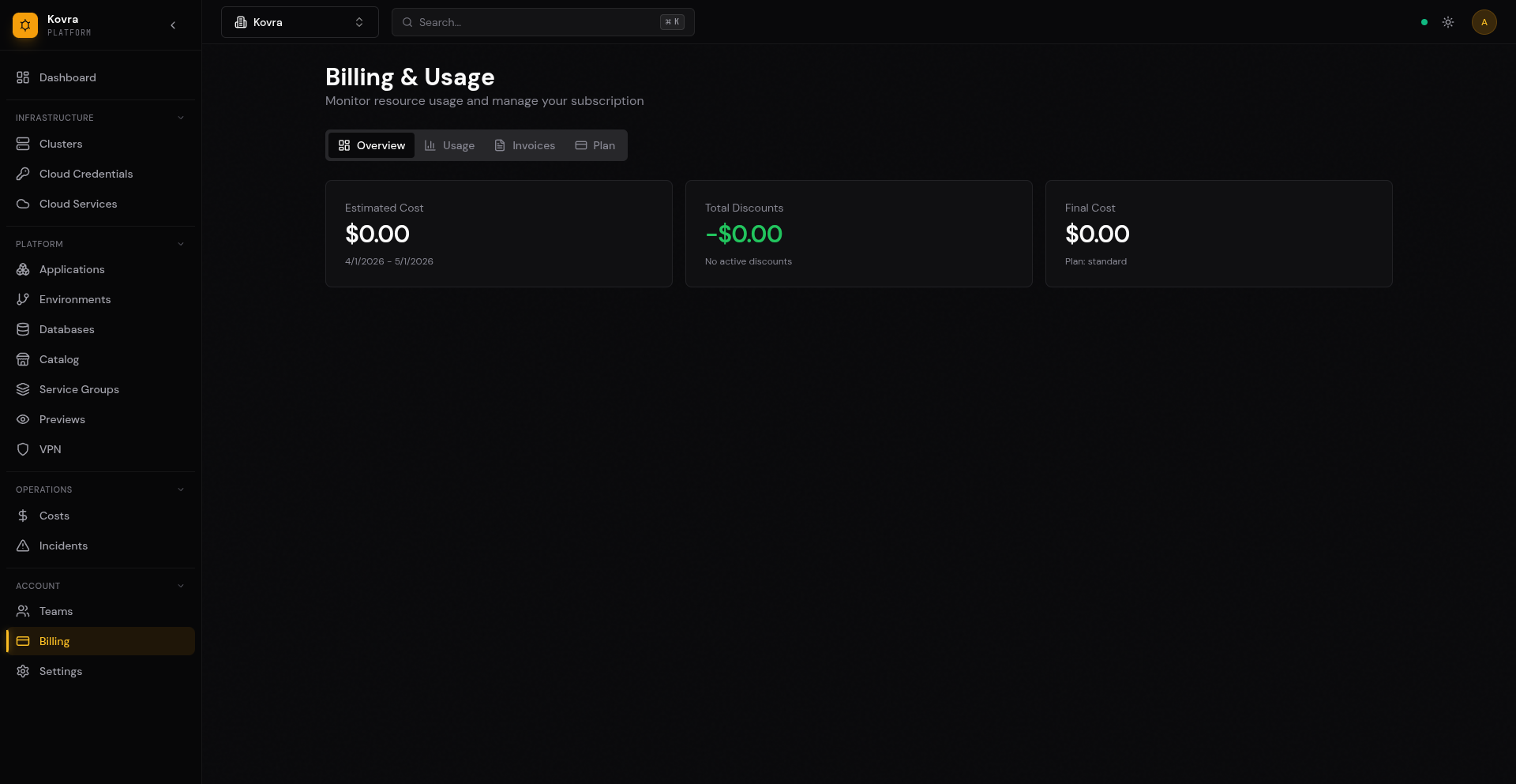
Navigate to Billing in the sidebar to see your current resource consumption and plan limits. The dashboard shows:
- Estimated Cost — Projected cost for the current billing period
- Total Discounts — Any active discount applied to your account
- Final Cost — Net amount after discounts
Switch to the Usage tab for a detailed breakdown of vCPU, RAM, storage, and database consumption against your plan limits. Use the Invoices tab to view past invoices.
Internet Egress
Outbound internet traffic from your Kovra Cloud apps is metered and billed per gigabyte at your tier’s rate, with no included allowance.
Per-tier rate
| Tier | Rate |
|---|---|
| Developer | $0.20 / GB |
| Team | $0.18 / GB |
| Business | $0.16 / GB |
| Enterprise Cloud | $0.14 / GB (volume discounts available) |
What’s measured
Egress is the bytes your pods send to public internet destinations. Traffic that stays inside Kovra Cloud or routes over peered networks is not counted:
- Pod-to-pod traffic inside your namespace — not billed
- Traffic to managed databases, VPC endpoints, and other Kovra Cloud services — not billed
- Traffic over a private VPN tunnel to your network — not billed
- Outbound traffic to a public API, CDN, third-party service, or end users — billed
Where to see measured GB
Open Billing > Usage in the dashboard. The Internet Egress line shows month-to-date GB and the dollar amount at your tier’s rate. The figure updates roughly every 5 minutes.
Soft alert
Each tenant has a configurable monthly egress alert threshold that fires through your existing notification channels (email, Slack, webhook). Defaults are seeded per tier:
| Tier | Default threshold |
|---|---|
| Developer | 50 GB |
| Team | 500 GB |
| Business | 5 TB |
| Enterprise Cloud | 50 TB |
Adjust the threshold under Billing > Settings > Egress alert. Alerts are soft — traffic is never throttled or dropped, you simply get notified when usage crosses the threshold.
FAQ
Why is there no included allowance? Flat-rate-from-byte-1 is simpler than tiered allowances and the per-tier rate already discounts heavier-traffic plans. If you have committed-volume needs above 10 TB/month, contact us to negotiate a custom rate.
How is the GB number calculated? A custom byte counter runs as a system service on each cluster node, attaches to each tenant pod’s network interface, and counts outbound bytes whose destination is public. Snapshots are recorded every 5 minutes alongside vCPU/RAM/storage usage.
Does my org-level discount apply? Yes. The discount on your BillingAccount is applied to the egress line by Stripe along with vCPU/RAM/storage.
What about ingress (inbound traffic)? Inbound is not measured or billed.
Upgrading and Downgrading Plans
Upgrading
When you upgrade your plan, the change takes effect immediately:
- Navigate to Billing and click the Plan tab
- Select a higher tier
- Your resource limits increase immediately
- You are charged the prorated difference for the remainder of the billing period
Downgrading
When you downgrade:
- The change takes effect at the start of the next billing period
- Ensure your current usage fits within the lower plan’s limits before the change takes effect
- If your usage exceeds the new plan’s limits at the time of change, you will receive a warning
Important considerations when downgrading:
- If you have more databases than the new plan allows, you must delete some before the downgrade takes effect
- If you are using VPN and downgrading to a plan without VPN, VPN will be disabled
- Overage charges still apply for the current billing period
Invoices and Payment
Viewing Invoices
Navigate to Billing > Invoices to view a list of past invoices.
Current Subscription
The Billing > Plan tab shows your current subscription status, plan, and renewal date.
Payment Processing
Kovra Cloud does not store credit card information. Click Manage Subscription to access the customer portal where you can update payment methods and manage billing details.
Next Steps
- Getting Started — Pick a plan and deploy your first app
- Migration Guide — Migrate from BYOC or other platforms