Environment Variables
Environment variables let you configure your applications with secrets, connection strings, feature flags, and other runtime settings. All values are encrypted at rest using AES-256-GCM and deployed as Kubernetes Secrets.
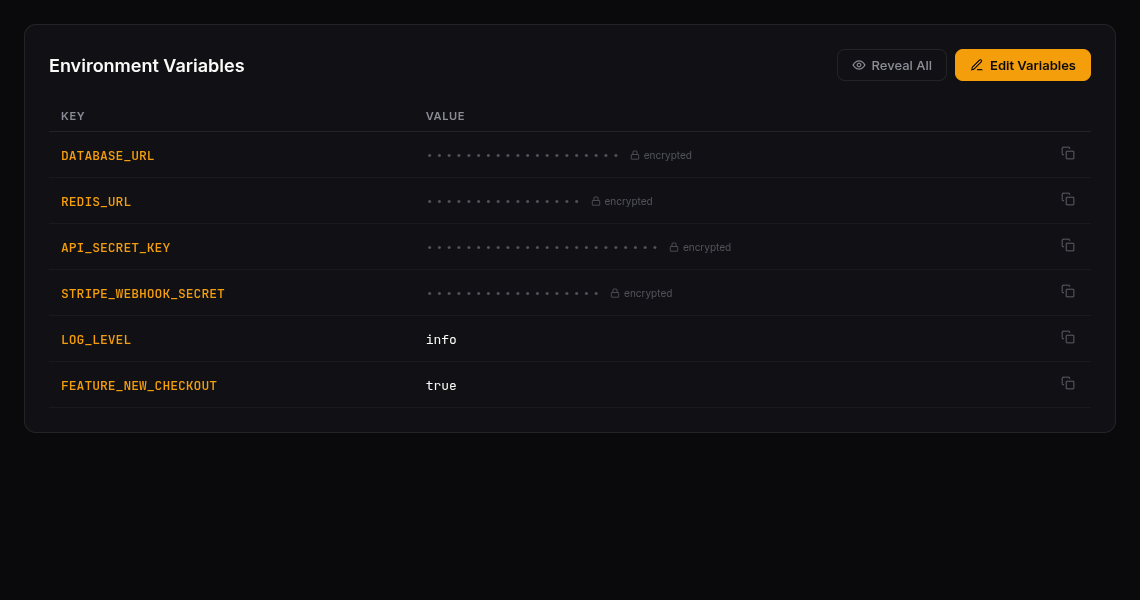
Viewing Variables
Navigate to your application and click the Variables tab. You’ll see a table with:
- Key — The variable name (e.g.,
DATABASE_URL,API_KEY) - Value — Masked as
••••••••by default for security
Click Reveal All to temporarily decrypt and display all values. Click the copy icon to copy individual values.
Adding and Editing Variables
- Click Edit Variables (or Add Variables if none exist)
- In edit mode you can:
- Add new variables with the Add Variable button
- Modify existing keys and values inline
- Delete variables with the trash icon
- Click Save Changes to persist
All rows must have both a key and value before saving. Click Cancel to discard unsaved changes.
How Variables Are Deployed
When you save variables, they are:
- Encrypted using AES-256-GCM before storage
- Injected into the application’s Helm values
- Synced to Kubernetes as a Secret via the deployment pipeline
- Mounted as environment variables in your application containers
Your application reads them like any standard environment variable — no SDK or special client needed.
Security
- Encrypted at rest — Values are never stored in plain text
- Masked by default — Displayed as
••••••••until explicitly revealed - Permission-gated — Separate permissions for viewing keys, revealing values, and editing
- Audit trail — All variable changes are tracked
Common Variable Patterns
| Variable | Purpose | Example |
|---|---|---|
DATABASE_URL | PostgreSQL connection string | postgres://user:pass@host:5432/db |
REDIS_URL | Redis connection | redis://host:6379 |
API_KEY | External service authentication | sk-abc123... |
LOG_LEVEL | Application logging verbosity | info |
FEATURE_FLAG_X | Feature toggle | true |
Last updated on